How Strama works: from a list to a reply
The whole pipeline in one mental model: sourcing leads, enriching them, qualifying against a scorecard, generating sequences, sending across channels, and catching replies.
Strama runs your outbound motion end to end: it finds or takes in prospects, researches them, writes outreach that draws on your own materials, sends it across email, LinkedIn and phone, and catches the replies. Every campaign, whatever it looks like on the surface, moves through the same pipeline. Once you can see that pipeline, the rest of the product (and the rest of this help center) falls into place.
The pipeline at a glance
- Source or import. Prospects come in from Lead Scout, a watchtower, your CRM, or a list you upload.
- Enrich. Strama fills in what is missing: email addresses, phone numbers, LinkedIn profile data.
- Qualify and research. Each company and contact is researched and graded against a scorecard, so you know who is worth pursuing and why.
- Generate. Using that research, your content library, and your style guide, Strama writes a personalized multi-step sequence for each contact.
- Send. Steps go out across email, LinkedIn invites and messages, and call steps, from your own accounts, paced like a person.
- Reply. When a prospect responds, the sequence stops and the conversation lands in your Inbox.
Each stage depends on the one before it: generation needs research, research needs an enriched contact, and sending needs a generated sequence. You do not have to run the stages by hand, but knowing the order explains most of what you see in the app, including most of what appears on your credit statement.
Sourcing: where prospects come from
There are two ways to fill a campaign, and they meet at the same place.
Strama finds them. Lead Scout searches for people matching a persona you describe, using the Strama lead database or your connected LinkedIn Sales Navigator seat. Watchtowers monitor signals over time (job changes, hiring, website visitors via RB2B) and pull matching leads in as they appear.
You bring them. Upload a CSV, import from your CRM, or add contacts by hand. Importing is free, whatever the source, and any emails or phone numbers you bring are used directly instead of being looked up again.
Either way, every prospect becomes a Contact attached to a Company, and the rest of the pipeline treats them identically.
Enrichment: filling in the contact record
Outreach needs a working email address, and calling needs a phone number. When those are missing, Strama looks them up through a waterfall of data providers, and finds LinkedIn profile and company details the research stage will need. Enrichment runs when it is needed: you can trigger it explicitly from a campaign, and starting an email sequence for contacts with no email address kicks it off automatically.
Enrichment that fails is refunded, and enrichment for data you already provided is skipped. The exact prices live in What costs credits.
Qualifying: research and a grade, on a scorecard
A scorecard defines what a good-fit company and contact look like for a campaign, in your words. When a contact is qualified, Strama researches the company and the person against live sources, grades each against the scorecard criteria, and saves the full research report with citations. You see the result on the lead's Intelligence tab: the fit grade, the reasoning behind it, and the sources it rests on.
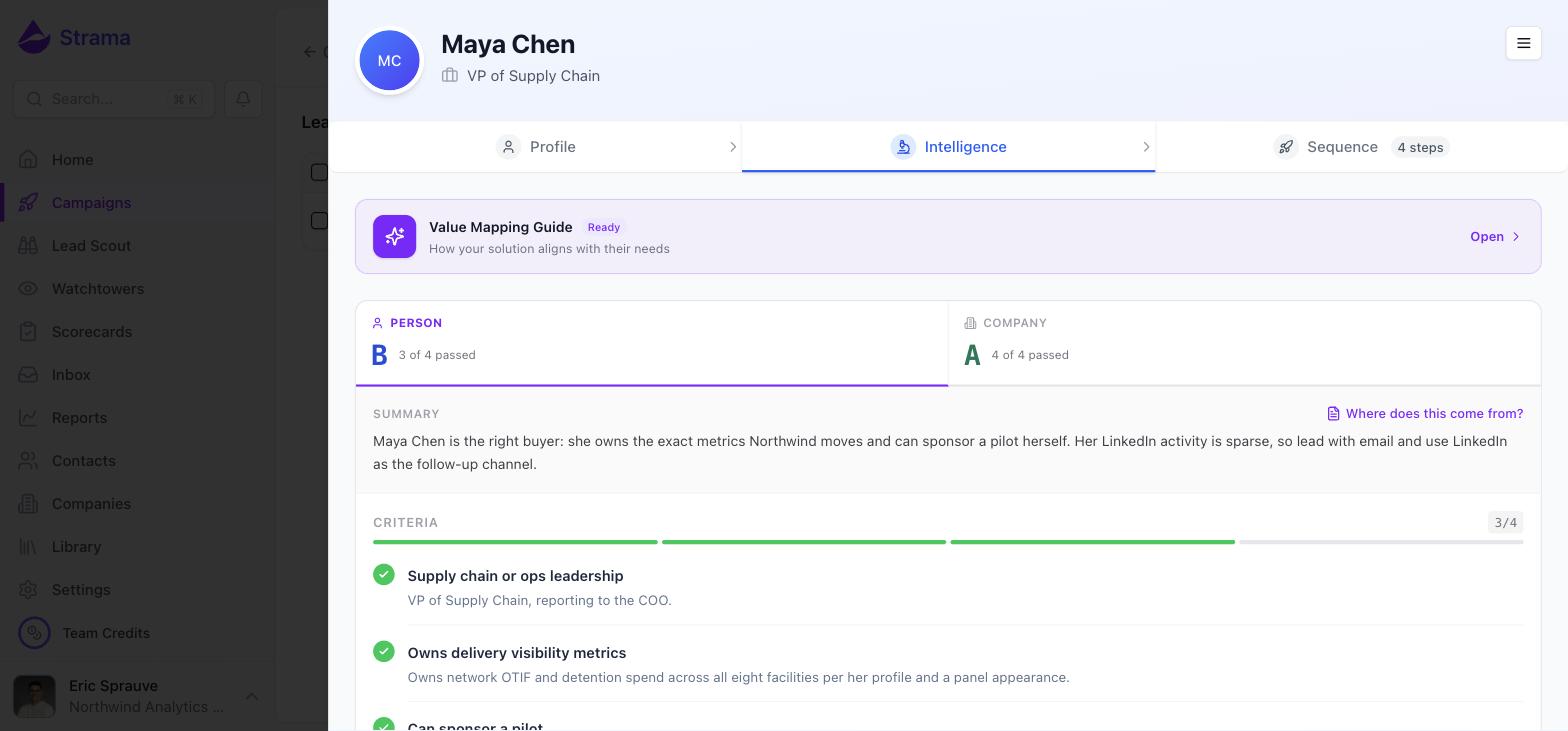
Qualification is where you decide who deserves outreach. A poor grade before generation costs you 4 credits; a hundred personalized emails to the wrong list costs you a hundred first impressions.
Generation: writing the sequence
For each qualified contact, Strama writes a multi-step sequence. Three inputs shape it:
- The research from qualification, so each message can reference something true and current about the prospect.
- Your content library, mapped against the research so the sequence leads with the collateral, case studies and proof points most relevant to this prospect. You can inspect that mapping on the Intelligence tab.
- Your style guide, so the messages sound like you rather than like an AI. See Making the AI sound like you for how to train it.
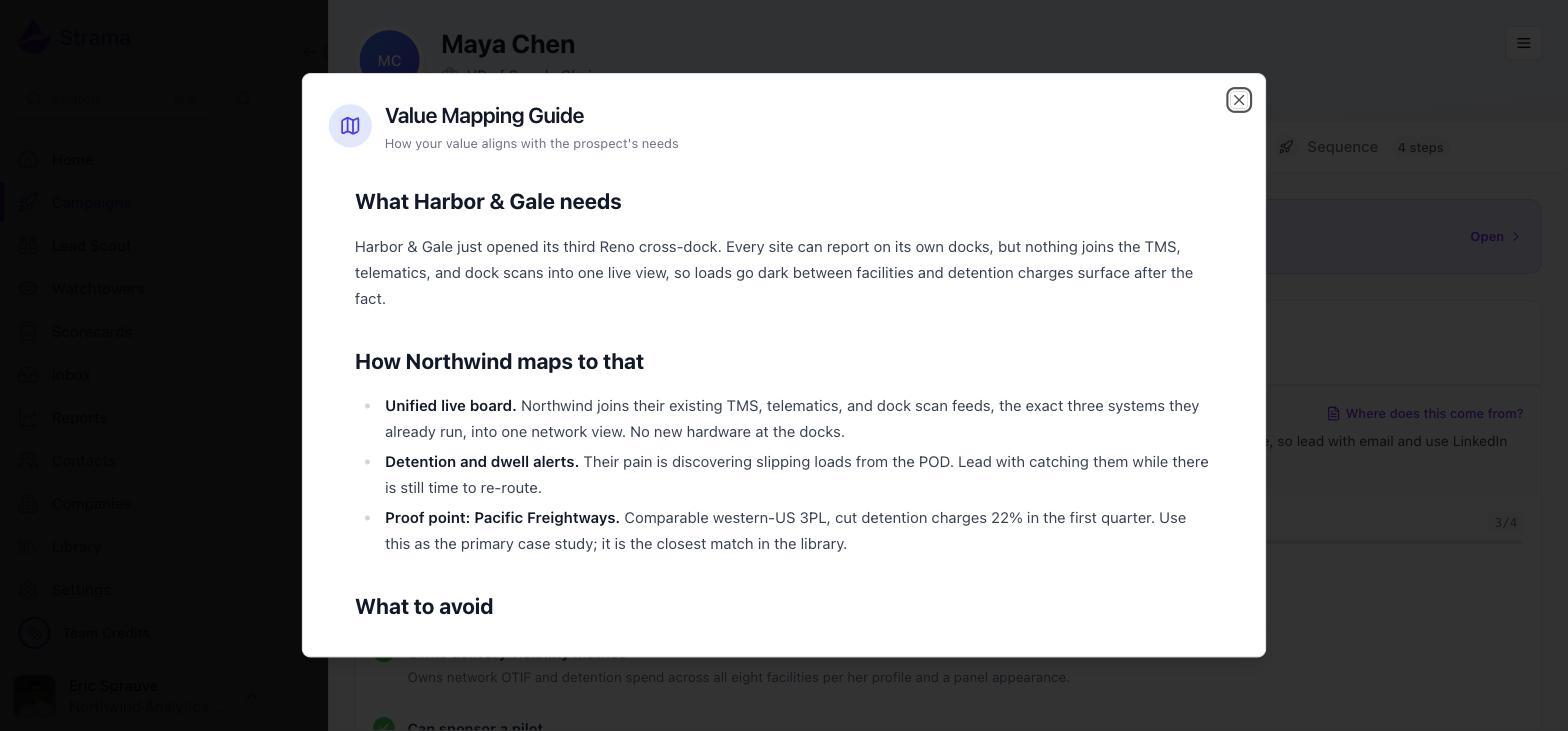
Generated claims are checked against their sources in a verification pass before you see them, which is part of why generation takes a few minutes per contact. Sequences are created as drafts: you review them, revise or regenerate what you want changed, and nothing sends until you start it.
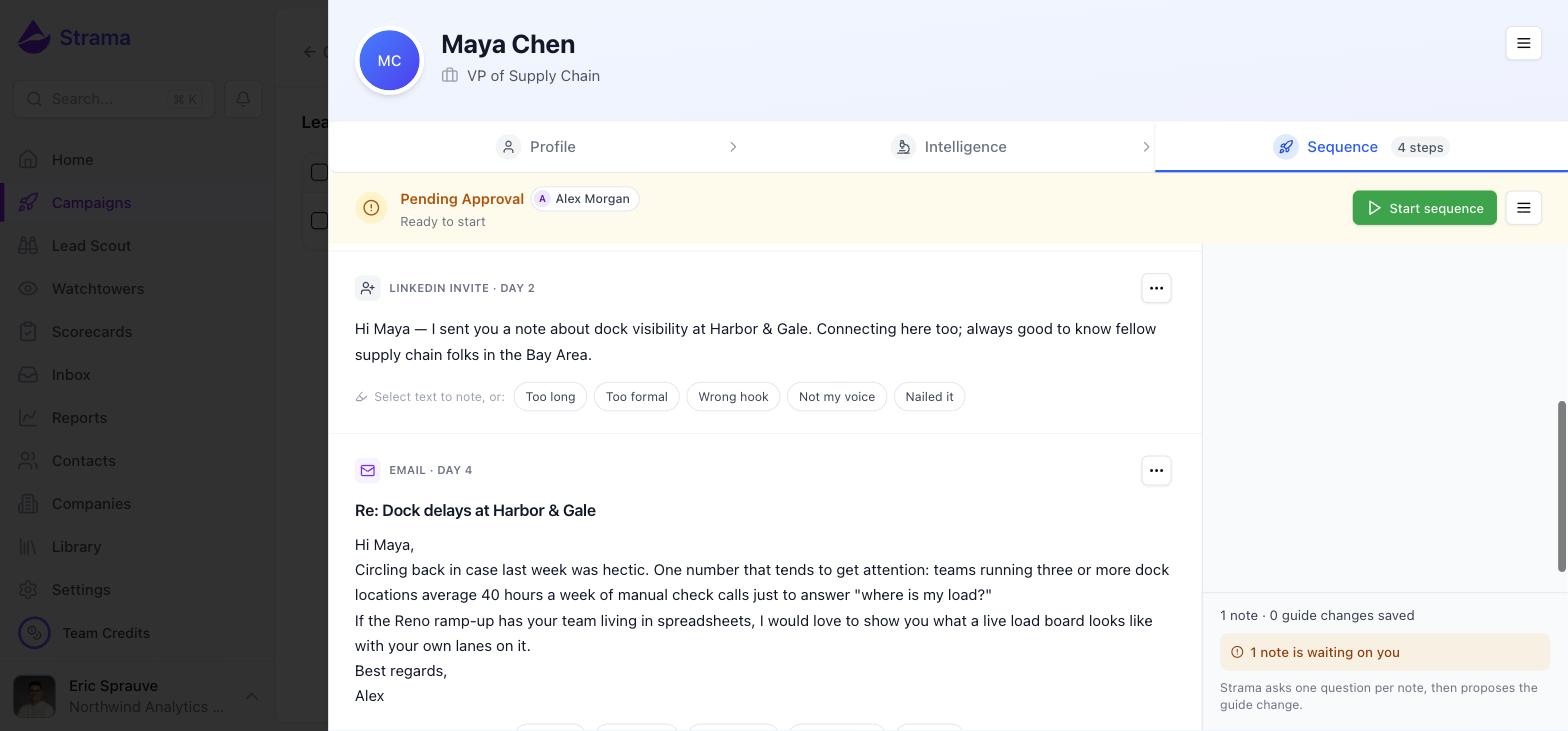
Note: You can jump straight to "generate" for an unqualified contact, and Strama will simply run the earlier stages first, charged at the standard rates. The credit estimate you approve covers the whole journey. The full breakdown is in What costs credits.
Sending: email, LinkedIn and calls
Once you start a sequence, its steps send automatically from your own connected accounts: your inbox (or a Strama-managed one), your LinkedIn seat, and call steps that queue prospects onto your Call Sheet. Each channel advances on its own track, so a paused LinkedIn connection does not stop your emails.
Sends are paced to look human: spread through the working day in the sender's timezone, with natural gaps rather than a burst. Sending itself never costs credits.
Replies: where the pipeline ends
When a prospect replies on email or LinkedIn, Strama detects it, stops the remaining steps of that sequence, and puts the conversation in your Inbox, one queue across all channels and all the senders you manage. For the first reply in a thread you also get an AI-drafted suggested response, grounded in the sequence's research, ready to edit and send.
From there it is a conversation between people. Strama's job was to start it.
FAQ
I already have my lead list. Can Strama research each person and write the messages?
Yes, that is the most common path. Import the list (free), and Strama enriches whatever is missing, researches and grades each person against your scorecard, and generates a personalized sequence for everyone you select. Bringing your own list skips the sourcing stage and nothing else.
Should I qualify before sequencing, or just sequence?
Qualification runs either way, because generation depends on the research it produces. The real question is whether you review the grades before paying for generation. On a list you have not vetted, qualify first, look at the fit grades, and drop the poor fits before generating at 5 credits per contact. On a list you already trust, generate directly and qualification is simply charged as part of the run.
How is Strama different from just using Claude or another AI directly?
The writing model is the smallest part of the pipeline. What surrounds it is what a bare LLM does not have: sourcing and enrichment data, researched and cited context on every prospect, a value map from that research to your actual collateral, your style guide, sending infrastructure with warmed inboxes and human pacing, reply detection that stops sequences, and CRM sync. You can ask an LLM to write a cold email; Strama runs the motion that gets it sent, answered and followed up.
Where does each stage live in the app?
Sourcing is Lead Scout and Watchtowers. Qualification criteria live in Scorecards, and the research they produce appears on each lead's Intelligence tab. Generation and sending happen inside Campaigns. Replies land in the Inbox, and your collateral and style inputs live in the Library and Settings.